
How To Import Contacts
STEP BY STEPESSENTIALS
1. Click on the "Contacts" sections from the menu on the left side and then click on "Import Contacts".
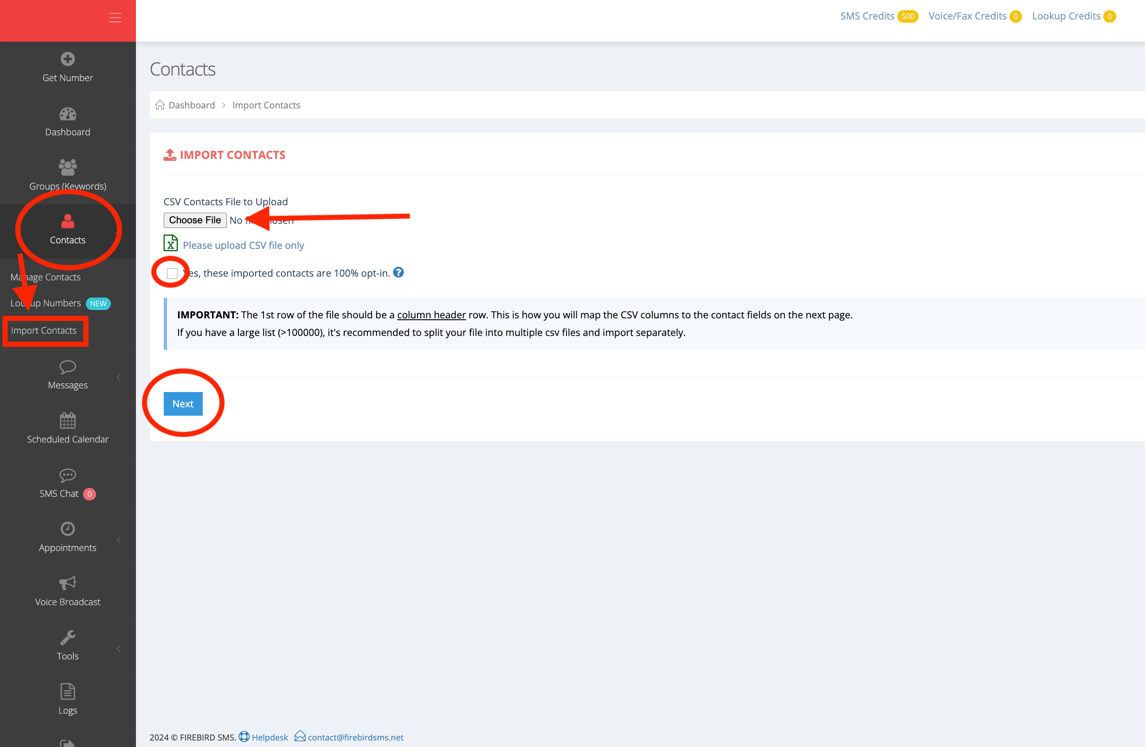
2. You will need to upload a CSV file, check the box, and click "Next".
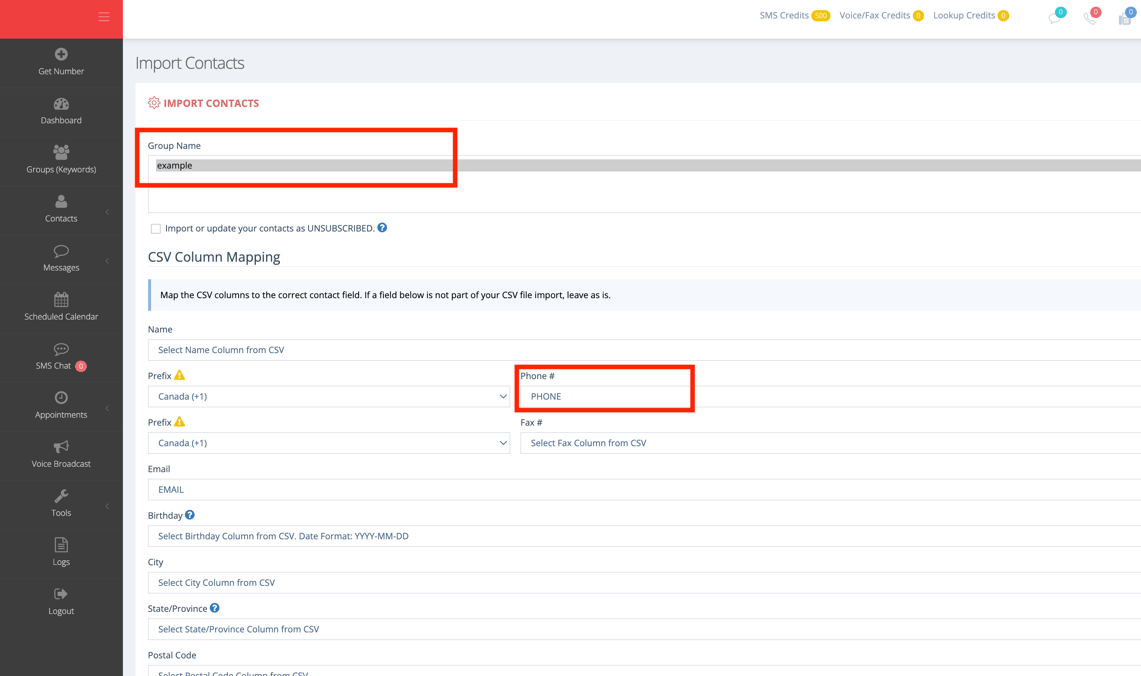
3. Select the name of the group you want the contacts to go into under the "Group Name" section. You also need to select the appropriate "Phone #" column from your CSV file (this is the title of the column in your CSV file with the phone number of the customers you want to reach, most likely PHONE or NUMBER).
4. Scroll down to the bottom and click on "Save" and your contacts from the CSV should be imported into the Group you selected!