
How To Create A Group
STEP BY STEPESSENTIALS
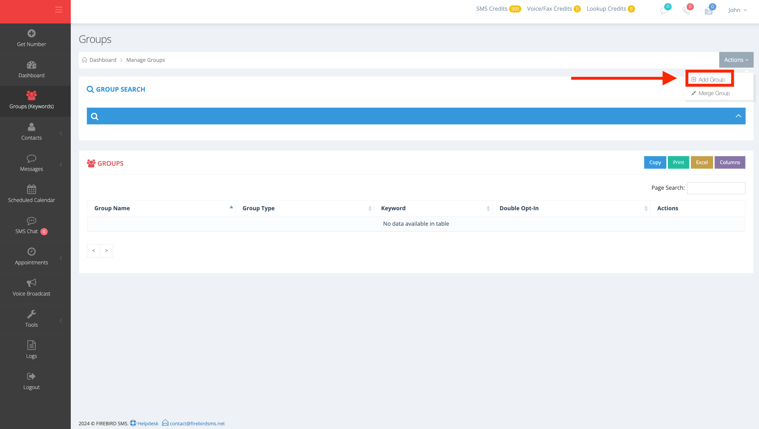
1. Click on the "Groups (Keywords)" sections from the menu on the left side.
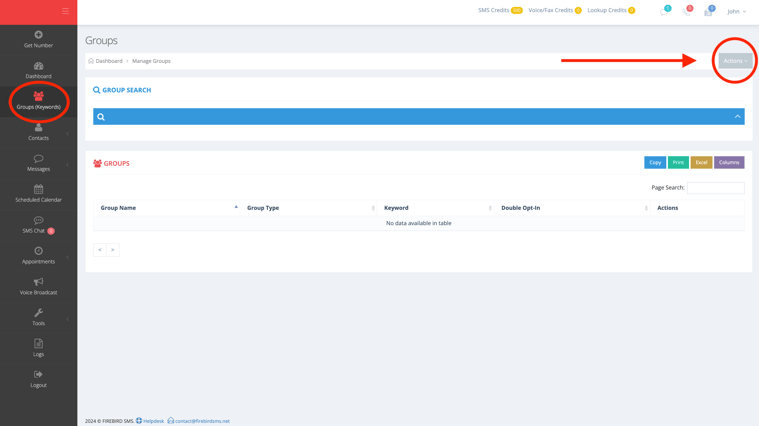
2. Click on the small grey button that says "Actions" on the top right corner of the page.
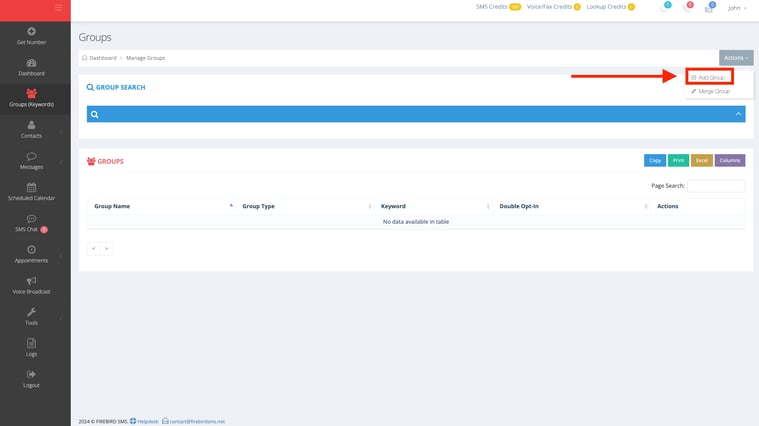
3. Click on "Add Group" .
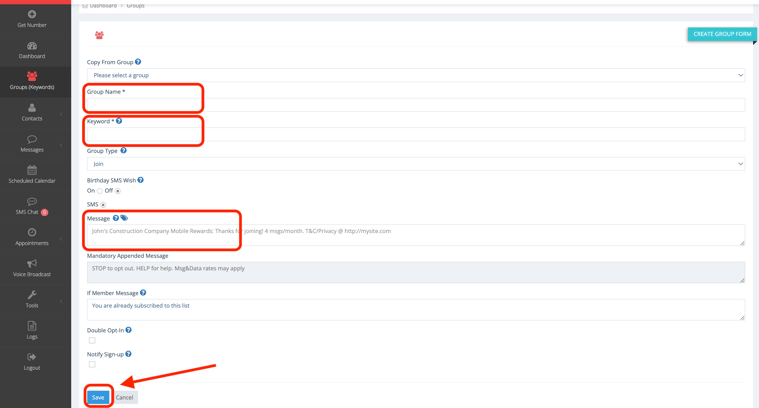
4. Next you will need to type in the "Group Name" you want, add in a "Keyword", add a "Message", and then click on "Save".
Now you have created a group!